PC optimisation and system tools for Windows
This is the largest part of the catalogue: tools that make a Windows machine behave the way you want it to. Cleanup and startup control, privacy switches gathered into one place, display comfort, docks and desktop shells.
Why these run on your own machine
System utilities are the category where trust matters most, because a cleanup tool by definition gets to see everything on the disk. That is the reason none of these applications create an account, phone home, or transmit a report of what they found. The tool runs, you see the result, and the result stays on your machine.
What to check before you buy anything in this category
- What it sends back
- Many free optimisers are funded by the data they collect. If a cleanup tool needs an account, ask what the account is for.
- Whether it explains what it is about to do
- A tool that deletes on your behalf without showing you the list first is not saving you time, it is taking a risk with your files.
- Whether it is honest about results
- Real gains from cleanup and startup control are modest and worth having. Anything promising to double your speed is selling something else.
22 pc & system applications available now
 HSX AI Browser
Windows
Private browsing, with AI that runs on your own PC
Page summaries and key point extraction in seconds
One-click tone rewriting, and drafting from scratch
Side-by-side page comparison, and a research mode that writes the report
Full details
HSX AI Browser
Windows
Private browsing, with AI that runs on your own PC
Page summaries and key point extraction in seconds
One-click tone rewriting, and drafting from scratch
Side-by-side page comparison, and a research mode that writes the report
Full details
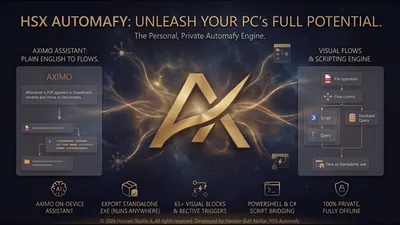 HSX Automafy
Windows
Offline automation studio for Windows
Visual automation flow builder
Variables and reusable steps
Flows and data stay on-device
Full details
HSX Automafy
Windows
Offline automation studio for Windows
Visual automation flow builder
Variables and reusable steps
Flows and data stay on-device
Full details
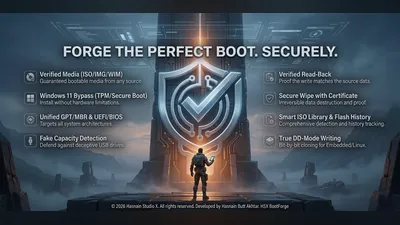 HSX BootForge
Windows
USB boot media studio
Write bootable USB media
Works from your own local images
Keeps a local history of writes
Full details
HSX BootForge
Windows
USB boot media studio
Write bootable USB media
Works from your own local images
Keeps a local history of writes
Full details
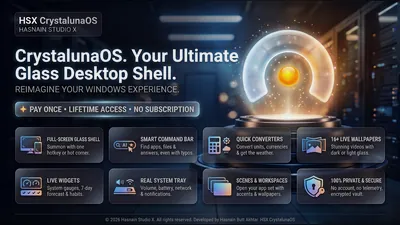 HSX CrystalunaOS
Windows
Private Windows desktop shell and launcher
Clean app launcher with instant search
Customisable widget panels: clock, notes, system stats
Multi-workspace management
Full details
HSX CrystalunaOS
Windows
Private Windows desktop shell and launcher
Clean app launcher with instant search
Customisable widget panels: clock, notes, system stats
Multi-workspace management
Full details
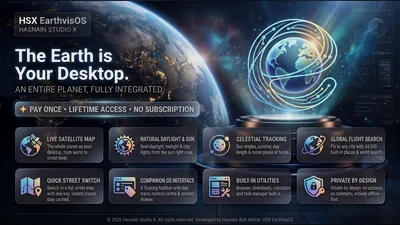 HSX EarthvisOS
Windows
Turn your desktop into a live map of the world
Live world map as your desktop shell
Home place, saved layout and offline tile cache
Taskbar, windows and clipboard history stay on-device
Full details
HSX EarthvisOS
Windows
Turn your desktop into a live map of the world
Live world map as your desktop shell
Home place, saved layout and offline tile cache
Taskbar, windows and clipboard history stay on-device
Full details
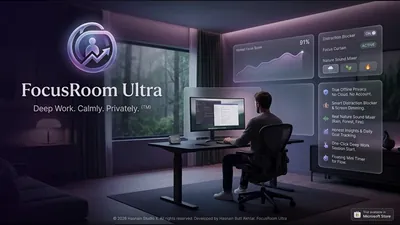 HSX FocusRoom Ultra
Windows
Fully offline focus workspace
Timed focus sessions
Personal session statistics
Everything stored on-device
Full details
HSX FocusRoom Ultra
Windows
Fully offline focus workspace
Timed focus sessions
Personal session statistics
Everything stored on-device
Full details
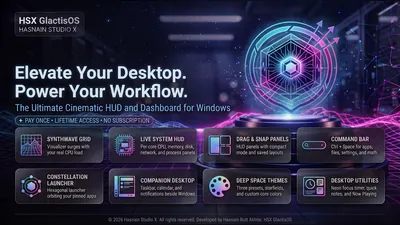 HSX GlactisOS
Windows
Synthwave command deck for the Windows desktop
Synthwave desktop command deck
Local-first layout and settings
No telemetry and no accounts
Full details
HSX GlactisOS
Windows
Synthwave command deck for the Windows desktop
Synthwave desktop command deck
Local-first layout and settings
No telemetry and no accounts
Full details
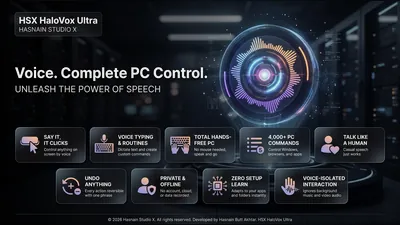 HSX HaloVox Ultra
Windows
Hands-free control for Windows
Over 4,000 spoken commands across Windows, browsers and apps
Click anything on screen by name, by number or with the lens
Learns the apps, settings, folders and bookmarks on your PC by itself
Full details
HSX HaloVox Ultra
Windows
Hands-free control for Windows
Over 4,000 spoken commands across Windows, browsers and apps
Click anything on screen by name, by number or with the lens
Learns the apps, settings, folders and bookmarks on your PC by itself
Full details
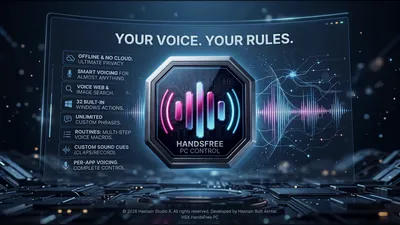 HSX HandsFree PC
Windows
Your voice. Your rules. 32 built-in Windows actions.
32 built-in Windows actions plus unlimited custom phrases
Routines - multi-step voice macros - and per-app voicing
Voice web and image search, and custom sound cues
Full details
HSX HandsFree PC
Windows
Your voice. Your rules. 32 built-in Windows actions.
32 built-in Windows actions plus unlimited custom phrases
Routines - multi-step voice macros - and per-app voicing
Voice web and image search, and custom sound cues
Full details
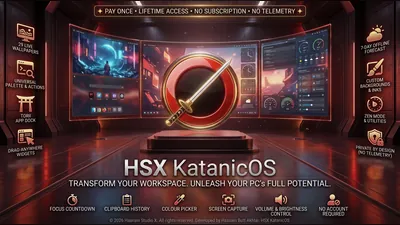 HSX KatanicOS
Windows
A katana-styled desktop shell for Windows
Five inks: Shu, Kin, Sakura, Ai and Matcha
World clocks, weather, system vitals and now playing on the desk
Command palette to search and launch every app on your PC
Full details
HSX KatanicOS
Windows
A katana-styled desktop shell for Windows
Five inks: Shu, Kin, Sakura, Ai and Matcha
World clocks, weather, system vitals and now playing on the desk
Command palette to search and launch every app on your PC
Full details
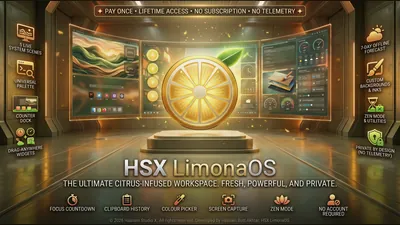 HSX LimonaOS
Windows
Your desktop, freshly squeezed
Lemon-slice dial for desk, settings, help and about
Weather, quick notes, now playing and live processor rings on the desk
Command palette to search and launch every app on your PC
Full details
HSX LimonaOS
Windows
Your desktop, freshly squeezed
Lemon-slice dial for desk, settings, help and about
Weather, quick notes, now playing and live processor rings on the desk
Command palette to search and launch every app on your PC
Full details
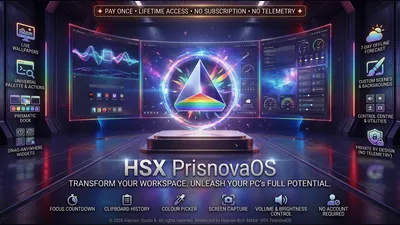 HSX PrisnovaOS
Windows
Your desktop, cut from light
Five inks: Spectrum, Glacier, Ember, Orchid and Verdant
World clocks, weather, system vitals and quick notes on the desk
Command palette to search and launch every app on your PC
Full details
HSX PrisnovaOS
Windows
Your desktop, cut from light
Five inks: Spectrum, Glacier, Ember, Orchid and Verdant
World clocks, weather, system vitals and quick notes on the desk
Command palette to search and launch every app on your PC
Full details
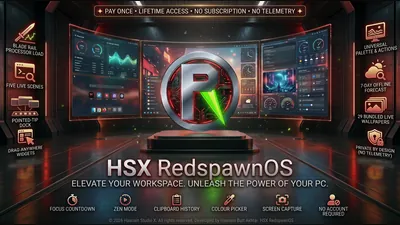 HSX RedspawnOS
Windows
Your PC, built for play
Five inks: Venom, Redline, Frost, Volt and Ultra
Dock edge that pulses with the sound your PC is playing
Command palette to search and launch every app on your PC
Full details
HSX RedspawnOS
Windows
Your PC, built for play
Five inks: Venom, Redline, Frost, Volt and Ultra
Dock edge that pulses with the sound your PC is playing
Command palette to search and launch every app on your PC
Full details
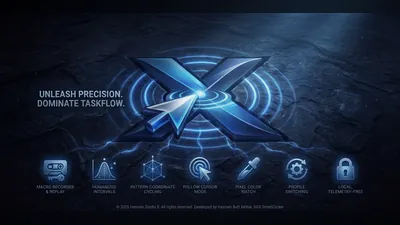 HSX SmartClicker
Windows
Automated clicking and macros for Windows
Custom click intervals, patterns, and hotkeys
Recordable macros and click profiles
Runs entirely on-device, with no cloud and no accounts
Full details
HSX SmartClicker
Windows
Automated clicking and macros for Windows
Custom click intervals, patterns, and hotkeys
Recordable macros and click profiles
Runs entirely on-device, with no cloud and no accounts
Full details
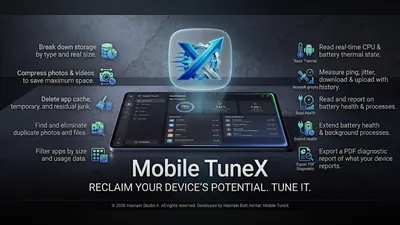 Mobile TuneX
Android
See what fills your phone, and clear it on your terms
Storage broken down into videos, photos, audio and other files by real size
Cache, temporary files and leftover junk, cleared only when you tick them
Duplicate and blurry photos, with a preview before every deletion
Full details
Mobile TuneX
Android
See what fills your phone, and clear it on your terms
Storage broken down into videos, photos, audio and other files by real size
Cache, temporary files and leftover junk, cleared only when you tick them
Duplicate and blurry photos, with a preview before every deletion
Full details
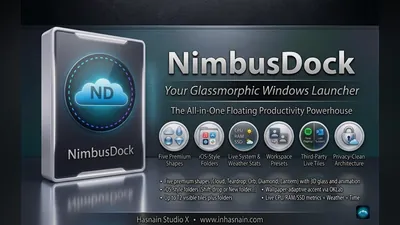 NimbusDock
Windows
Smart customisable dock for your Windows desktop
Smart app pinning with live badge indicators
Real-time CPU, RAM, and network stats
Customisable position, size, and transparency
Full details
NimbusDock
Windows
Smart customisable dock for your Windows desktop
Smart app pinning with live badge indicators
Real-time CPU, RAM, and network stats
Customisable position, size, and transparency
Full details
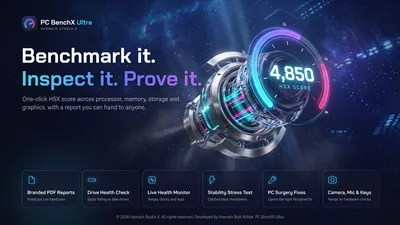 PC BenchX Ultra
Windows
A hardware performance lab for your PC
One score across processor, memory, storage and graphics
Inspection that checks a PC against what the seller claims
Live monitor for temperatures, clocks, memory and drive health
Full details
PC BenchX Ultra
Windows
A hardware performance lab for your PC
One score across processor, memory, storage and graphics
Inspection that checks a PC against what the seller claims
Live monitor for temperatures, clocks, memory and drive health
Full details
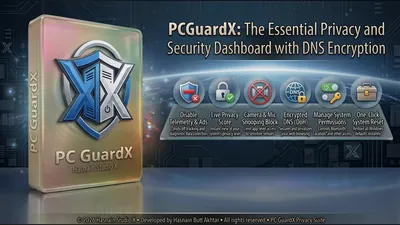 PC GuardX
Windows
One dashboard for Windows privacy controls
Toggle camera, microphone, location, and Bluetooth access
Switch off Windows telemetry, advertising ID, and activity history
Ad-domain blocking and encrypted DNS presets
Full details
PC GuardX
Windows
One dashboard for Windows privacy controls
Toggle camera, microphone, location, and Bluetooth access
Switch off Windows telemetry, advertising ID, and activity history
Ad-domain blocking and encrypted DNS presets
Full details
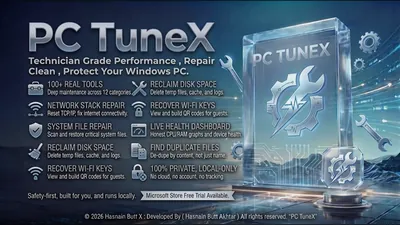 PC TuneX
Windows
One-click cleanup and startup optimisation
Junk file and temp data cleanup
Startup program optimisation
Background process control
Full details
PC TuneX
Windows
One-click cleanup and startup optimisation
Junk file and temp data cleanup
Startup program optimisation
Background process control
Full details
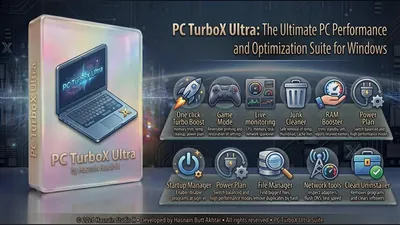 PC TurboX Ultra
Windows
Full PC optimisation with Turbo Boost and Game Mode
One-click Turbo Boost reclaims RAM, clears junk and activates high performance mode
Game Mode, Startup Manager, and reversible power controls
File Manager with large-file finder and duplicate scanner
Full details
PC TurboX Ultra
Windows
Full PC optimisation with Turbo Boost and Game Mode
One-click Turbo Boost reclaims RAM, clears junk and activates high performance mode
Game Mode, Startup Manager, and reversible power controls
File Manager with large-file finder and duplicate scanner
Full details
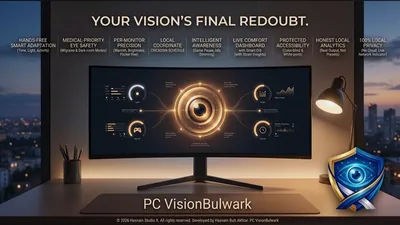 PC VisionBulwark
Windows
Local display comfort engine for Windows
Local display comfort and eye-care controls
No account, no sign-in, no cloud
All processing happens locally on your device
Full details
PC VisionBulwark
Windows
Local display comfort engine for Windows
Local display comfort and eye-care controls
No account, no sign-in, no cloud
All processing happens locally on your device
Full details
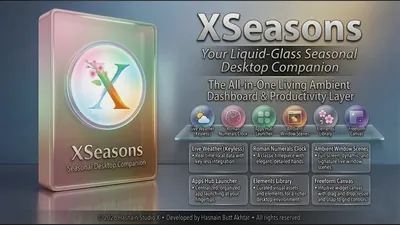 XSeasons
Windows
Dynamic seasonal wallpapers that change with the year
Auto-switches wallpaper with the real-world season
Hand-crafted scenes for Spring, Summer, Autumn, and Winter
Scheduled daily or weekly rotation option
Full details
XSeasons
Windows
Dynamic seasonal wallpapers that change with the year
Auto-switches wallpaper with the real-world season
Hand-crafted scenes for Spring, Summer, Autumn, and Winter
Scheduled daily or weekly rotation option
Full details
Coming soon
These are finished or in certification but not yet on sale. Each page describes what the application does; none of them carries a download link until it is genuinely available.
Questions about pc & system apps
Do these tools work on Windows 11?
Yes. Everything in this part of the catalogue targets Windows 10 and Windows 11, and each application states its requirements on its own page.
Will they send a report of what is on my PC?
No. There is no telemetry in any application in the catalogue and no account to attach a report to. What the tool finds is shown to you and goes no further.
Do I need to keep paying to keep using them?
No. Each application is a free trial followed by one purchase.
Can I run several of them together?
Yes. They are separate applications with separate jobs and no shared background service running between them.
Other parts of the catalogue
Full Windows catalogue · Android catalogue · Privacy policies · About the studio
Hasnain Studio X™ is a trade mark of Hasnain Studio X. Product names shown on this page are trademarks of Hasnain Studio X.