Zero-telemetry privacy utilities for Windows
Tools whose entire job is to reduce what leaves your machine, and which, reasonably enough, collect nothing themselves.
Why these run on your own machine
A privacy tool that phones home is not a privacy tool. Everything in this group is built so there is nothing to send and nowhere to send it: no account system, no analytics, no crash reporting, no licence server. What it finds and what it protects stays on the machine it runs on, and the per-application privacy policy says so in plain terms.
What to check before you buy anything in this category
- What the tool itself collects
- Ask this first. A great many free privacy utilities are funded by the data they gather about the people using them.
- Whether it needs an account
- An account is a record of you held by someone else. None of these ask for one.
- Whether you can verify the claim
- Every application here publishes its own privacy policy, and works with the network disconnected so you can check for yourself.
5 privacy tools applications available now
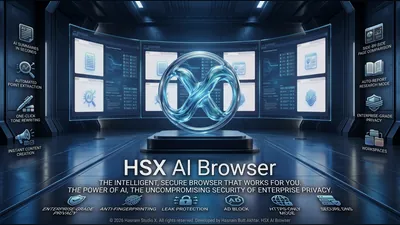 HSX AI Browser
Windows
Private browsing, with AI that runs on your own PC
Page summaries and key point extraction in seconds
One-click tone rewriting, and drafting from scratch
Side-by-side page comparison, and a research mode that writes the report
Full details
HSX AI Browser
Windows
Private browsing, with AI that runs on your own PC
Page summaries and key point extraction in seconds
One-click tone rewriting, and drafting from scratch
Side-by-side page comparison, and a research mode that writes the report
Full details
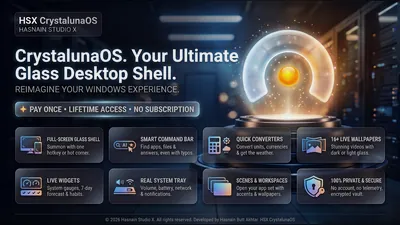 HSX CrystalunaOS
Windows
Private Windows desktop shell and launcher
Clean app launcher with instant search
Customisable widget panels: clock, notes, system stats
Multi-workspace management
Full details
HSX CrystalunaOS
Windows
Private Windows desktop shell and launcher
Clean app launcher with instant search
Customisable widget panels: clock, notes, system stats
Multi-workspace management
Full details
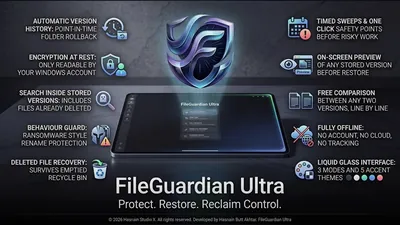 HSX FileGuardian Ultra
Windows
Offline file protection and version history
Automatic local version history
Protected copies of important files
Restore earlier versions on demand
Full details
HSX FileGuardian Ultra
Windows
Offline file protection and version history
Automatic local version history
Protected copies of important files
Restore earlier versions on demand
Full details
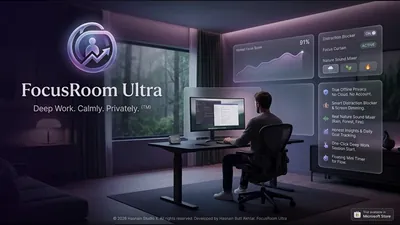 HSX FocusRoom Ultra
Windows
Fully offline focus workspace
Timed focus sessions
Personal session statistics
Everything stored on-device
Full details
HSX FocusRoom Ultra
Windows
Fully offline focus workspace
Timed focus sessions
Personal session statistics
Everything stored on-device
Full details
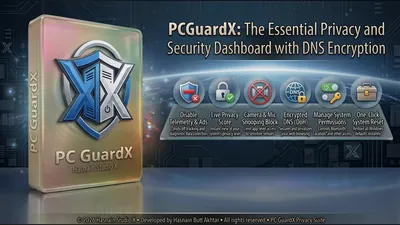 PC GuardX
Windows
One dashboard for Windows privacy controls
Toggle camera, microphone, location, and Bluetooth access
Switch off Windows telemetry, advertising ID, and activity history
Ad-domain blocking and encrypted DNS presets
Full details
PC GuardX
Windows
One dashboard for Windows privacy controls
Toggle camera, microphone, location, and Bluetooth access
Switch off Windows telemetry, advertising ID, and activity history
Ad-domain blocking and encrypted DNS presets
Full details
Questions about privacy tools apps
Do these tools collect any data about me?
No. There is no telemetry, no analytics and no crash reporting in any application in the catalogue, and no account to attach data to.
Do I have to trust you on that?
Not entirely. Each application publishes its own privacy policy, and you can disconnect the network and confirm the tool still does its job.
Is my encrypted data recoverable if I lose the key?
No. Keys never leave your device and are never held by the studio, which also means there is no recovery service. Keep a backup of your key.
Do they work on Windows 11?
Yes. Each application states its requirements on its own page.
Other parts of the catalogue
Full Windows catalogue · Privacy policies · About the studio
Hasnain Studio X™ is a trade mark of Hasnain Studio X. Product names shown on this page are trademarks of Hasnain Studio X.