Document and design apps for Windows
Documents, publishing, web design and the small production jobs that sit around them. The kind of work that used to need a suite of software and now usually needs a subscription instead.
Why these run on your own machine
Document tools are where the subscription model bites hardest, because the files are the ones you cannot afford to lose access to. A contract, an invoice archive or a client’s brand kit should not stop opening because a plan lapsed. Everything here is bought once and keeps working, and the documents never go anywhere to be processed.
What to check before you buy anything in this category
- Whether your documents are uploaded to be converted
- Most free online PDF tools work by receiving your file. For anything confidential that is the whole question.
- What happens when you stop paying
- Subscription document software often locks the files, not just the features.
- Whether output is standard
- A PDF or a document that only opens properly in the tool that made it is a trap worth avoiding.
10 documents & design applications available now
 DocsMining
Android
Scan, read and translate documents on your phone
Edge-detecting scans with colour, grayscale, black and white and ink filters
Text recognition across Latin, Chinese, Japanese, Korean and Devanagari scripts
Offline translation once a language model is downloaded
Full details
DocsMining
Android
Scan, read and translate documents on your phone
Edge-detecting scans with colour, grayscale, black and white and ink filters
Text recognition across Latin, Chinese, Japanese, Korean and Devanagari scripts
Offline translation once a language model is downloaded
Full details
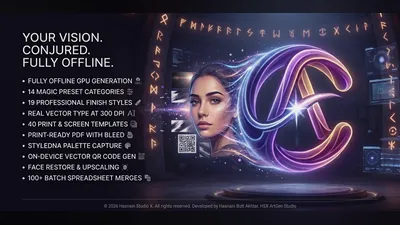 HSX ArtGen Studio
Windows
Local AI design studio with brand kits and batch merge
Prompt-driven image generation on your own GPU
Brand kits, palettes and type pairings you can reuse
Bulk mail-merge from a CSV into finished designs
Full details
HSX ArtGen Studio
Windows
Local AI design studio with brand kits and batch merge
Prompt-driven image generation on your own GPU
Brand kits, palettes and type pairings you can reuse
Bulk mail-merge from a CSV into finished designs
Full details
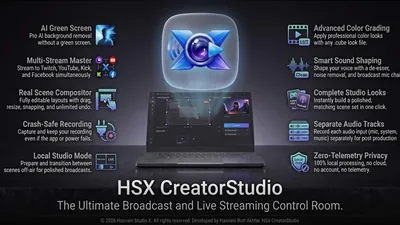 HSX CreatorStudio
Windows
Local-first creative studio for Windows
Full creative workflow running locally on your PC
No cloud upload, no accounts required
Zero telemetry and no data collection
Full details
HSX CreatorStudio
Windows
Local-first creative studio for Windows
Full creative workflow running locally on your PC
No cloud upload, no accounts required
Zero telemetry and no data collection
Full details
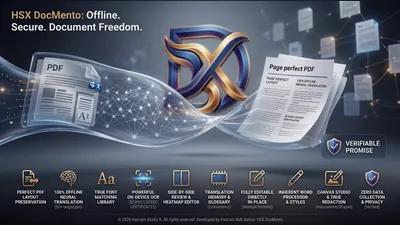 HSX DocMento
Windows
Offline PDF, document translation and 300 DPI canvas studio
Neural translation running entirely on your device
OCR and language detection fully offline
Document review and publishing workflow
Full details
HSX DocMento
Windows
Offline PDF, document translation and 300 DPI canvas studio
Neural translation running entirely on your device
OCR and language detection fully offline
Document review and publishing workflow
Full details
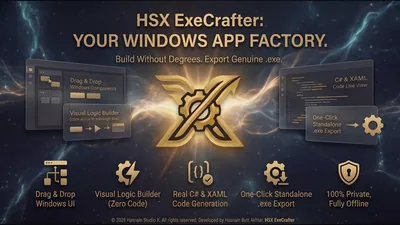 HSX ExeCrafter
Windows
Drag-and-drop Windows app creator
Visual drag-and-drop app builder
Generates code locally
Projects stay on your device
Full details
HSX ExeCrafter
Windows
Drag-and-drop Windows app creator
Visual drag-and-drop app builder
Generates code locally
Projects stay on your device
Full details
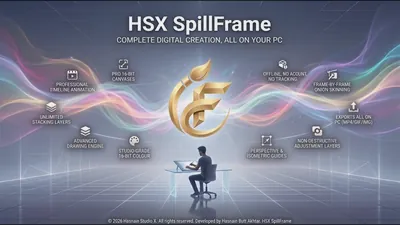 HSX SpillFrame
Windows
Drawing and animation studio
Drawing tools with frame-based animation
Onion-skin frame workflow
Artwork and projects stay on-device
Full details
HSX SpillFrame
Windows
Drawing and animation studio
Drawing tools with frame-based animation
Onion-skin frame workflow
Artwork and projects stay on-device
Full details
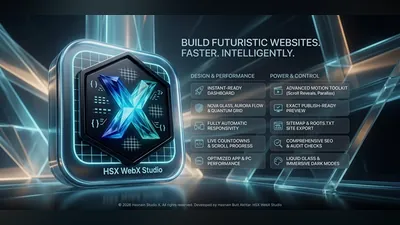 HSX WebX Studio
Windows
Visual drag-and-drop website builder for Windows
Drag-and-drop canvas with real-time preview
Exports clean HTML, CSS, and JavaScript
Publish to Netlify, GitHub, or FTP in one click
Full details
HSX WebX Studio
Windows
Visual drag-and-drop website builder for Windows
Drag-and-drop canvas with real-time preview
Exports clean HTML, CSS, and JavaScript
Publish to Netlify, GitHub, or FTP in one click
Full details
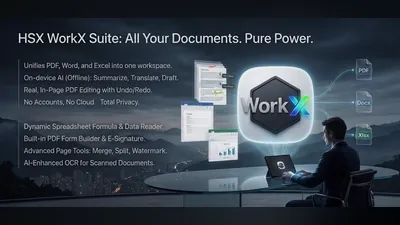 HSX WorkX Suite
Windows
PDF, Word, and spreadsheets - all fully local
Edit PDFs with annotations, forms, and security actions
Create professional documents with rich formatting
Build spreadsheets with formulas and chart workflows
Full details
HSX WorkX Suite
Windows
PDF, Word, and spreadsheets - all fully local
Edit PDFs with annotations, forms, and security actions
Create professional documents with rich formatting
Build spreadsheets with formulas and chart workflows
Full details
 QR Creator Studio
Windows
Local QR studio with saved styles
Design and export styled QR codes
Saved style presets and history
Everything generated on-device
Full details
QR Creator Studio
Windows
Local QR studio with saved styles
Design and export styled QR codes
Saved style presets and history
Everything generated on-device
Full details
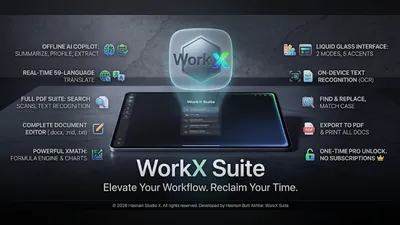 WorkX Suite
Android
PDFs, documents and spreadsheets, with an offline Copilot
XPDF: read, search, share and print PDFs, including scanned pages
XDOC: edit .docx, .txt and .md, and export to PDF
XMATH: .xlsx and .csv with a real formula engine and charts
Full details
WorkX Suite
Android
PDFs, documents and spreadsheets, with an offline Copilot
XPDF: read, search, share and print PDFs, including scanned pages
XDOC: edit .docx, .txt and .md, and export to PDF
XMATH: .xlsx and .csv with a real formula engine and charts
Full details
Questions about documents & design apps
Are my documents uploaded for conversion?
No. Conversion, translation and export all happen on your own machine. There is no upload and no server-side copy.
Do the files stop opening if I stop paying?
No. Each application is a one-time purchase, and what it produces is a standard file that other software can open.
Is there a file size limit?
No artificial one. What you can process is bounded by your own machine, not by a plan tier.
Do I need an account?
No. No application in the catalogue asks you to create one.
Other parts of the catalogue
Full Windows catalogue · Android catalogue · Privacy policies · About the studio
Hasnain Studio X™ is a trade mark of Hasnain Studio X. Product names shown on this page are trademarks of Hasnain Studio X.