Photo editing and batch imaging apps for Windows
Finishing a folder of pictures rather than perfecting a single one. Batch editing, background removal, repair, retouching and clearing out the duplicates that accumulate behind all of it.
Why these run on your own machine
Photo work is the clearest case for keeping processing local, because the folder in question is usually personal, commercially sensitive, or both. Product photography before a launch and family pictures are the same problem from opposite ends. Nothing here uploads a picture in order to work on it, and nothing retains one afterwards.
What to check before you buy anything in this category
- Whether pictures are uploaded to be processed
- Most one-click online editors work by receiving the image. For product shots or personal photos, that is the deciding question.
- Whether it handles a whole folder
- Editing one picture at a time is a different job from finishing two hundred. Batch capability is what actually saves the day.
- Whether the original survives
- Good tools write a new file. Anything editing in place without asking is a risk.
5 photo & imaging applications available now
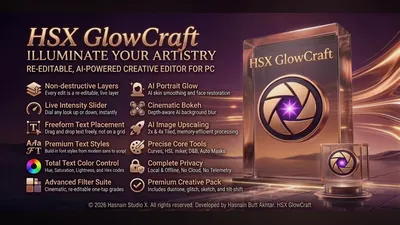 HSX GlowCraft
Windows
Local photo editor with on-device AI tools
Photo editing with local AI enhancement tools
All edits and AI processing run on your own hardware
Photos never uploaded or transmitted externally
Full details
HSX GlowCraft
Windows
Local photo editor with on-device AI tools
Photo editing with local AI enhancement tools
All edits and AI processing run on your own hardware
Photos never uploaded or transmitted externally
Full details
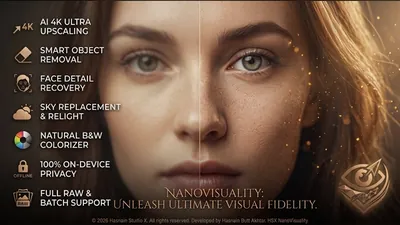 HSX NanoVisuality
Windows
Seventeen photo finishing tools on one local deck
Upscale at two or four times the size, rebuilding detail rather than stretching pixels
Object removal that paints out a sign, a bin or a stranger and fills the gap
Sky replace with six drawn skies, and the rest of the frame warmed to match
Full details
HSX NanoVisuality
Windows
Seventeen photo finishing tools on one local deck
Upscale at two or four times the size, rebuilding detail rather than stretching pixels
Object removal that paints out a sign, a bin or a stranger and fills the gap
Sky replace with six drawn skies, and the rest of the frame warmed to match
Full details
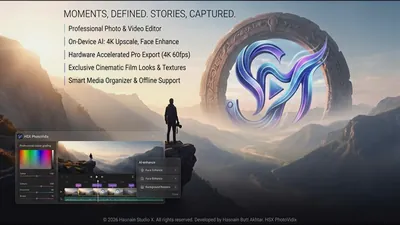 HSX PhotoVidix
Windows
Organise, edit, and export photos and videos
One local library for photos and videos
Editing and export tools, including SRT captions
EXIF and GPS metadata read on device only
Full details
HSX PhotoVidix
Windows
Organise, edit, and export photos and videos
One local library for photos and videos
Editing and export tools, including SRT captions
EXIF and GPS metadata read on device only
Full details
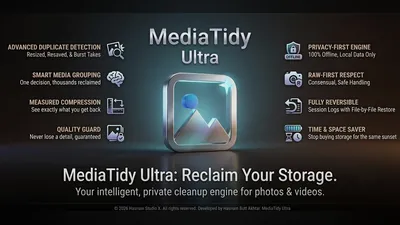 MediaTidy Ultra
Windows
Find duplicate photos and reclaim disk space
Duplicate and near-duplicate detection with tunable thresholds
Quarantine mode so nothing is deleted outright
Media compression with the original kept for undo
Full details
MediaTidy Ultra
Windows
Find duplicate photos and reclaim disk space
Duplicate and near-duplicate detection with tunable thresholds
Quarantine mode so nothing is deleted outright
Media compression with the original kept for undo
Full details
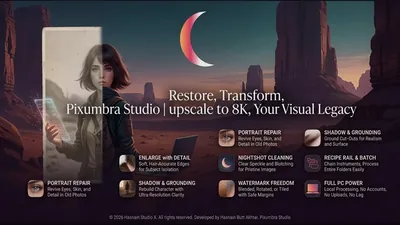 Pixumbra Studio
Windows
Batch photo workroom with cutout, repair and recipes
Cutout with a soft, hair-accurate edge, single file or whole folder
Portrait repair that brings eyes, skin and hair back in old photographs
Enlarge that rebuilds detail, in a photograph character and a crisp character
Full details
Pixumbra Studio
Windows
Batch photo workroom with cutout, repair and recipes
Cutout with a soft, hair-accurate edge, single file or whole folder
Portrait repair that brings eyes, skin and hair back in old photographs
Enlarge that rebuilds detail, in a photograph character and a crisp character
Full details
Questions about photo & imaging apps
Are my photos uploaded anywhere?
No. Every editing and retouching step runs on your own machine, so nothing is transmitted and nothing is stored elsewhere.
Can these process a whole folder at once?
Batch work is the point of this part of the catalogue. Each application states what it can process in bulk on its own page.
Are the originals overwritten?
No. Output is written as new files unless you specifically ask otherwise.
Is there a monthly fee?
No. Free trial, then a single purchase.
Other parts of the catalogue
Full Windows catalogue · Privacy policies · About the studio
Hasnain Studio X™ is a trade mark of Hasnain Studio X. Product names shown on this page are trademarks of Hasnain Studio X.