Local AI apps that run on your own GPU
Every generative tool in this part of the catalogue does its work on the graphics card already in your machine. There is no API key to buy, no credit balance to top up and no queue to wait in, because there is no server involved at any point.
Why these run on your own machine
That changes the economics of using AI rather than just the privacy of it. Cloud tools charge per image or per month, which means the cost of experimenting never stops. These are bought once. Generate ten pictures or ten thousand; the price is the same, and the work you produce is yours without a licence term attached to it.
What to check before you buy anything in this category
- Where the work actually happens
- A tool that calls a remote service will stop working the moment that service changes its pricing or shuts down. Anything that runs on your own hardware keeps working.
- What it costs after the first month
- Per-image credits and monthly plans make the real cost hard to see. A one-time purchase makes it obvious.
- What happens to what you make
- Check whether your prompts and output are retained or reused. Nothing here leaves your machine, so the question does not arise.
16 local ai applications available now
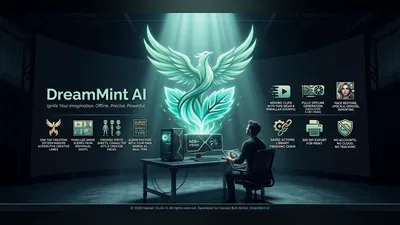 DreamMint AI
Windows
Sixteen makers across five creative lanes, offline
Sixteen one-tap makers across five creative lanes
Panelled anime scenes, sprite sheets, character kits and poster type
Moving clips with tape wear and parallax, exported as GIF or MP4
Full details
DreamMint AI
Windows
Sixteen makers across five creative lanes, offline
Sixteen one-tap makers across five creative lanes
Panelled anime scenes, sprite sheets, character kits and poster type
Moving clips with tape wear and parallax, exported as GIF or MP4
Full details
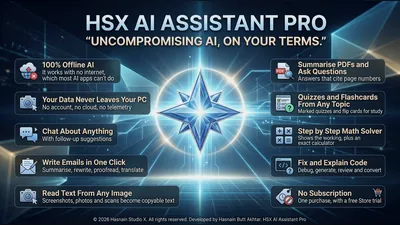 HSX AI Assistant Pro
Windows
Private AI that lives on your PC
Chat about anything, in six assistant styles with follow-up suggestions
Write, summarise, rewrite, proofread and translate in one click
Explain, fix, generate, review and convert code
Full details
HSX AI Assistant Pro
Windows
Private AI that lives on your PC
Chat about anything, in six assistant styles with follow-up suggestions
Write, summarise, rewrite, proofread and translate in one click
Explain, fix, generate, review and convert code
Full details
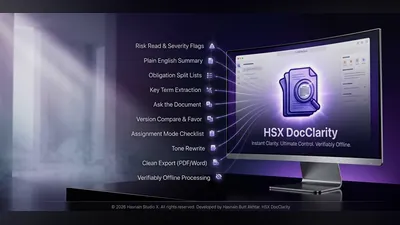 HSX DocClarity
Windows
On-device AI document analysis and clarity tool
Document analysis powered by an on-device AI model
Your documents are never transmitted externally
All processing runs locally on your own PC
Full details
HSX DocClarity
Windows
On-device AI document analysis and clarity tool
Document analysis powered by an on-device AI model
Your documents are never transmitted externally
All processing runs locally on your own PC
Full details
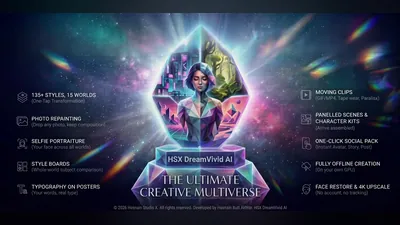 HSX DreamVivid AI
Windows
High-res image and clip generation on your own GPU
High-res image and short-clip generation entirely on-device
Runs on your own GPU, with nothing sent to a server
Local library with thumbnails and performance index
Full details
HSX DreamVivid AI
Windows
High-res image and clip generation on your own GPU
High-res image and short-clip generation entirely on-device
Runs on your own GPU, with nothing sent to a server
Local library with thumbnails and performance index
Full details
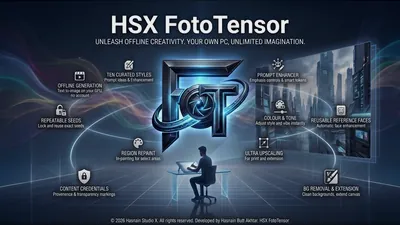 HSX FotoTensor
Windows
AI portrait and image generation with face enhancement
Text-to-image generation running entirely on your hardware
Face-aware portrait enhancement and processing
Always-on content safety - explicit prompts blocked outright
Full details
HSX FotoTensor
Windows
AI portrait and image generation with face enhancement
Text-to-image generation running entirely on your hardware
Face-aware portrait enhancement and processing
Always-on content safety - explicit prompts blocked outright
Full details
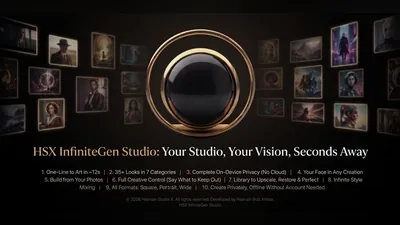 HSX InfiniteGen Studio
Windows
Unlimited on-device AI image and clip creation
Image and clip generation on your own GPU
Local library index with thumbnails, no cloud sync
Output folder, theme and accent under your control
Full details
HSX InfiniteGen Studio
Windows
Unlimited on-device AI image and clip creation
Image and clip generation on your own GPU
Local library index with thumbnails, no cloud sync
Output folder, theme and accent under your control
Full details
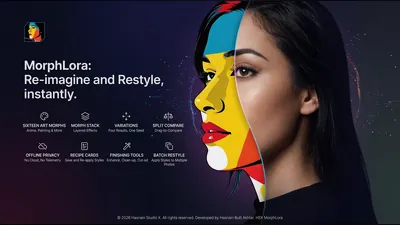 HSX MorphLora
Windows
Restyle your photographs into artwork, offline
Sixteen art morphs, from anime to painted looks
Morph stack for layering effects on one photograph
Four variations from a single seed, compared side by side
Full details
HSX MorphLora
Windows
Restyle your photographs into artwork, offline
Sixteen art morphs, from anime to painted looks
Morph stack for layering effects on one photograph
Four variations from a single seed, compared side by side
Full details
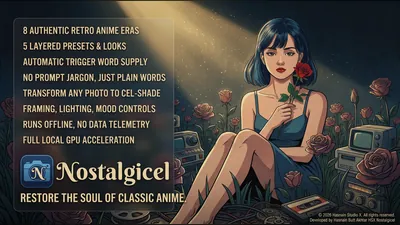 HSX Nostalgicel
Windows
Restore the soul of classic anime, offline
Eight authentic retro anime eras with five layered preset looks
Plain words, no prompt jargon - trigger words supplied automatically
Turn any photograph into cel-shaded artwork
Full details
HSX Nostalgicel
Windows
Restore the soul of classic anime, offline
Eight authentic retro anime eras with five layered preset looks
Plain words, no prompt jargon - trigger words supplied automatically
Turn any photograph into cel-shaded artwork
Full details
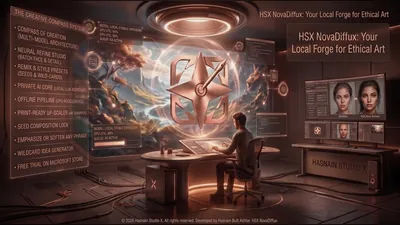 HSX NovaDiffux
Windows
Offline AI image and text-to-art generation studio
Image creation and refinement on your own GPU
Text-to-art generation with the model bundled in
Models, prompts and images stay on-device
Full details
HSX NovaDiffux
Windows
Offline AI image and text-to-art generation studio
Image creation and refinement on your own GPU
Text-to-art generation with the model bundled in
Models, prompts and images stay on-device
Full details
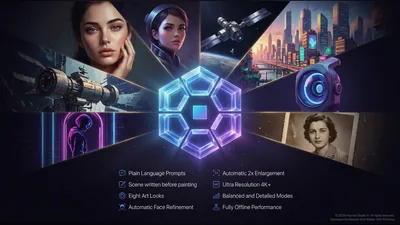 HSX PixUnica
Windows
Offline AI image generator with 4K+ output
Plain-language prompts - the scene is written out before it is painted
Eight art looks, with balanced and detailed quality modes
Automatic face refinement and 2x enlargement to 4K+
Full details
HSX PixUnica
Windows
Offline AI image generator with 4K+ output
Plain-language prompts - the scene is written out before it is painted
Eight art looks, with balanced and detailed quality modes
Automatic face refinement and 2x enlargement to 4K+
Full details
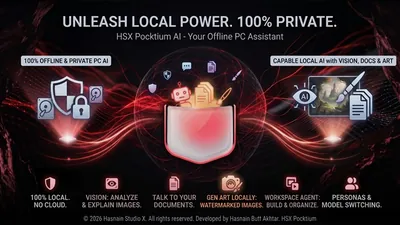 HSX Pocktium
Windows
Chat, documents, and images with local AI
Chat with a language model running locally
Ask questions over your own documents
Generate images on your own hardware
Full details
HSX Pocktium
Windows
Chat, documents, and images with local AI
Chat with a language model running locally
Ask questions over your own documents
Generate images on your own hardware
Full details
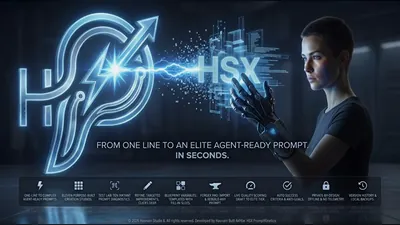 HSX PromptKinetics
Windows
Build elite AI prompts with guided structure
Build elite prompts with guided sections and smart completion
Support for multiple AI models and output formats
Prompt scoring, intent detection, and improvement suggestions
Full details
HSX PromptKinetics
Windows
Build elite AI prompts with guided structure
Build elite prompts with guided sections and smart completion
Support for multiple AI models and output formats
Prompt scoring, intent detection, and improvement suggestions
Full details
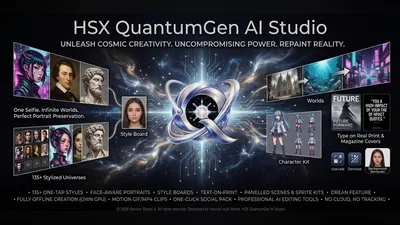 HSX QuantumGen AI Studio
Windows
On-device image and clip generation for Windows
Image and clip generation on your own GPU
Local library with thumbnails and a graphics report
Output folder, theme and accent under your control
Full details
HSX QuantumGen AI Studio
Windows
On-device image and clip generation for Windows
Image and clip generation on your own GPU
Local library with thumbnails and a graphics report
Output folder, theme and accent under your control
Full details
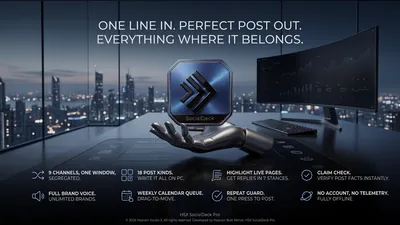 HSX SocialDeck Pro
Windows
One line in, a finished post for every channel out
Nine channels in one window, each kept separate
Eighteen post kinds, all written on your own PC
Brand voice rules for as many brands as you run
Full details
HSX SocialDeck Pro
Windows
One line in, a finished post for every channel out
Nine channels in one window, each kept separate
Eighteen post kinds, all written on your own PC
Brand voice rules for as many brands as you run
Full details
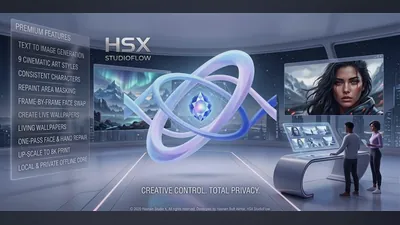 HSX StudioFlow
Windows
Local AI image studio powered by your own GPU
GPU-accelerated AI image generation on your own hardware
Upscale and enhance existing images locally
Batch export with custom naming templates
Full details
HSX StudioFlow
Windows
Local AI image studio powered by your own GPU
GPU-accelerated AI image generation on your own hardware
Upscale and enhance existing images locally
Batch export with custom naming templates
Full details
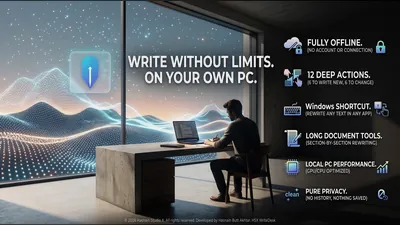 HSX WriteDesk
Windows
Offline writing desk that rewrites on your own PC
Twelve deep actions - six to write new text, six to change existing text
Windows shortcut rewrites selected text in any application
Section-by-section rewriting for long documents
Full details
HSX WriteDesk
Windows
Offline writing desk that rewrites on your own PC
Twelve deep actions - six to write new text, six to change existing text
Windows shortcut rewrites selected text in any application
Section-by-section rewriting for long documents
Full details
Questions about local ai apps
Do these apps need an internet connection?
No. Once installed, the generative tools in this range run entirely on your own machine and keep working with the network switched off. A few titles fetch remote content by design and say so plainly on their own page.
Do I need a powerful graphics card?
A dedicated GPU makes generation faster, and each application lists what it expects on its own page. The work is done locally either way, so speed is the variable, not capability.
Is there a subscription?
No. Every application in the catalogue is a free trial followed by a single purchase. There is no recurring charge and no account to create.
Can I use the output commercially?
What you generate on your own hardware is yours. The example images published in the HSX AI Studio gallery are a separate matter and are not licensed for reuse.
Other parts of the catalogue
Full Windows catalogue · Privacy policies · About the studio
Hasnain Studio X™ is a trade mark of Hasnain Studio X. Product names shown on this page are trademarks of Hasnain Studio X.