File transfer, conversion and archiving apps
Getting files from one device to another, changing what format they are in, and keeping them somewhere safe afterwards. Three jobs that the cloud made convenient and, in the process, made public.
Why these run on your own machine
Transferring a folder between two machines on the same network does not need a third party in the middle, and routing it through one adds an upload, a download and a copy on a server. The tools here move files directly between your own devices, convert formats on the machine holding the file, and archive without asking who you are.
What to check before you buy anything in this category
- Whether there is a size or speed cap
- Transfer services almost always have one, and it is usually the reason the free tier exists.
- Where the file rests in transit
- A direct transfer between your devices has no resting place. A cloud relay always does.
- Whether archives use a standard format
- An archive you can only open with the tool that made it is a liability, not a backup.
7 files & transfer applications available now
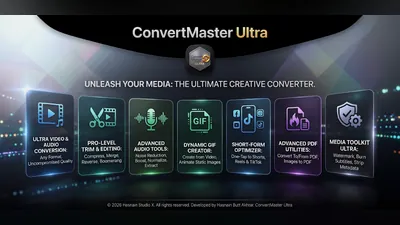 ConvertMaster Ultra
Android
Convert, compress and create media on your phone
Convert video, audio, image and PDF formats
Trim, merge, compress, reverse, boomerang and loop
GIF maker, thumbnail sheets and vertical versions for Shorts and Reels
Full details
ConvertMaster Ultra
Android
Convert, compress and create media on your phone
Convert video, audio, image and PDF formats
Trim, merge, compress, reverse, boomerang and loop
GIF maker, thumbnail sheets and vertical versions for Shorts and Reels
Full details
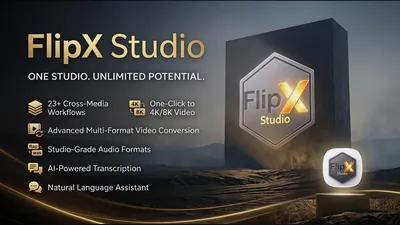 FlipX Studio
Windows
Convert audio, video, images, and PDFs locally
Convert audio, video, image, and PDF files
AI-assisted presets and smart output settings
Batch processing with clear progress tracking
Full details
FlipX Studio
Windows
Convert audio, video, images, and PDFs locally
Convert audio, video, image, and PDF files
AI-assisted presets and smart output settings
Batch processing with clear progress tracking
Full details
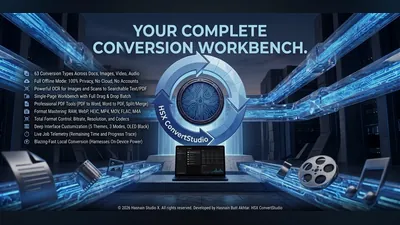 HSX ConvertStudio
Windows
Convert documents, images, video and audio locally
Convert documents, images, video, and audio formats
All conversion runs locally on your device
Your files never uploaded to any server
Full details
HSX ConvertStudio
Windows
Convert documents, images, video and audio locally
Convert documents, images, video, and audio formats
All conversion runs locally on your device
Your files never uploaded to any server
Full details
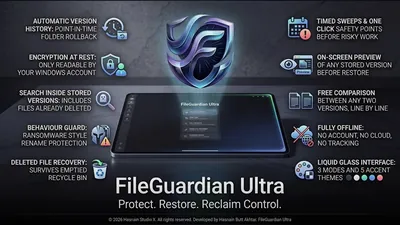 HSX FileGuardian Ultra
Windows
Offline file protection and version history
Automatic local version history
Protected copies of important files
Restore earlier versions on demand
Full details
HSX FileGuardian Ultra
Windows
Offline file protection and version history
Automatic local version history
Protected copies of important files
Restore earlier versions on demand
Full details
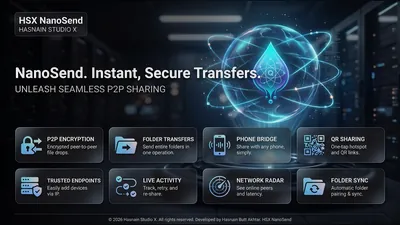 HSX NanoSend
Windows
Fast local file sharing over Wi-Fi - no cables
Instant local discovery of devices on the same network
Drag-and-drop file and folder transfer
Transfer progress with speed indicator
Full details
HSX NanoSend
Windows
Fast local file sharing over Wi-Fi - no cables
Instant local discovery of devices on the same network
Drag-and-drop file and folder transfer
Transfer progress with speed indicator
Full details
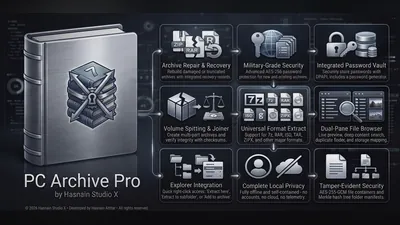 PC Archive Pro
Windows
Local archive manager for Windows: zip, extract and encrypt
Extraction, compression, encryption, hashing and search
All processing runs on your own hardware
No background scanning, only the files you choose
Full details
PC Archive Pro
Windows
Local archive manager for Windows: zip, extract and encrypt
Extraction, compression, encryption, hashing and search
All processing runs on your own hardware
No background scanning, only the files you choose
Full details
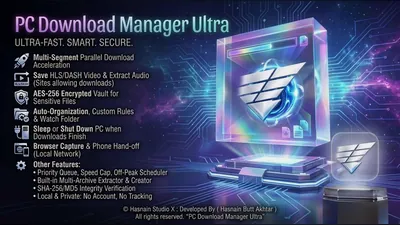 PC Download Manager Ultra
Windows
Segmented, resumable download manager for Windows
Segmented, resumable downloads with local file organization
Built-in hashing and archive extraction
Network access used only for the downloads you request
Full details
PC Download Manager Ultra
Windows
Segmented, resumable download manager for Windows
Segmented, resumable downloads with local file organization
Built-in hashing and archive extraction
Network access used only for the downloads you request
Full details
Questions about files & transfer apps
Is there a transfer size limit?
No. Transfers run directly between your own devices over your own network, so the limit is your hardware rather than a plan tier.
Do the files pass through a server?
No. Nothing is relayed through a third party, which is also why transfers run at local network speed.
Do both devices need the same app?
For direct transfers, yes. Each application explains what it pairs with on its own page.
Are archives readable by other software?
Yes. Standard formats are used throughout, so an archive stays readable whatever you do next.
Other parts of the catalogue
Full Windows catalogue · Android catalogue · Privacy policies · About the studio
Hasnain Studio X™ is a trade mark of Hasnain Studio X. Product names shown on this page are trademarks of Hasnain Studio X.