ConvertMaster Ultra
Convert, compress and create media on your phone
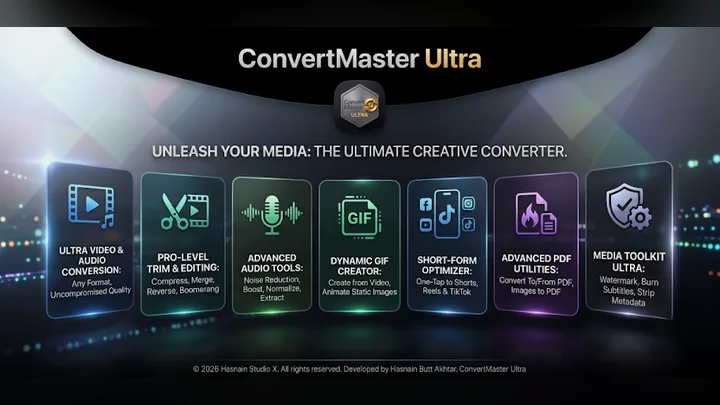
ConvertMaster Ultra is a private media studio for Android. Fifty tools convert video, extract audio, compress images, build podcast videos, burn subtitles and apply one-tap social presets, all on an on-device media engine. No account, no cloud uploads.
Free on Google Play, with an optional one-time Pro unlock. There is no subscription and no account to keep it working. Genuine copies are published only on Google Play.
What ConvertMaster Ultra does
- Convert video, audio, image and PDF formats
- Trim, merge, compress, reverse, boomerang and loop
- GIF maker, thumbnail sheets and vertical versions for Shorts and Reels
- Burn subtitles, watermark, auto chapters and strip metadata
- Podcast video from audio and a cover image
- One-tap presets for Social, Instagram, YouTube and Discord
Your first hour with ConvertMaster Ultra
A short plan for finding out quickly whether it suits you.
Install it free
Get ConvertMaster Ultra from Google Play. The free version is enough to see whether it suits you.
Use your own work
Try it on your own phone and real tasks rather than a quick look around. That is the only test that tells you whether it earns its place.
Try this
Convert video, audio, image and PDF formats
Try this
Trim, merge, compress, reverse, boomerang and loop
Try this
GIF maker, thumbnail sheets and vertical versions for Shorts and Reels
Decide on Pro
If the free version earns its place, the optional Pro unlock is a single purchase on Google Play, with no subscription.
ConvertMaster Ultra on screen
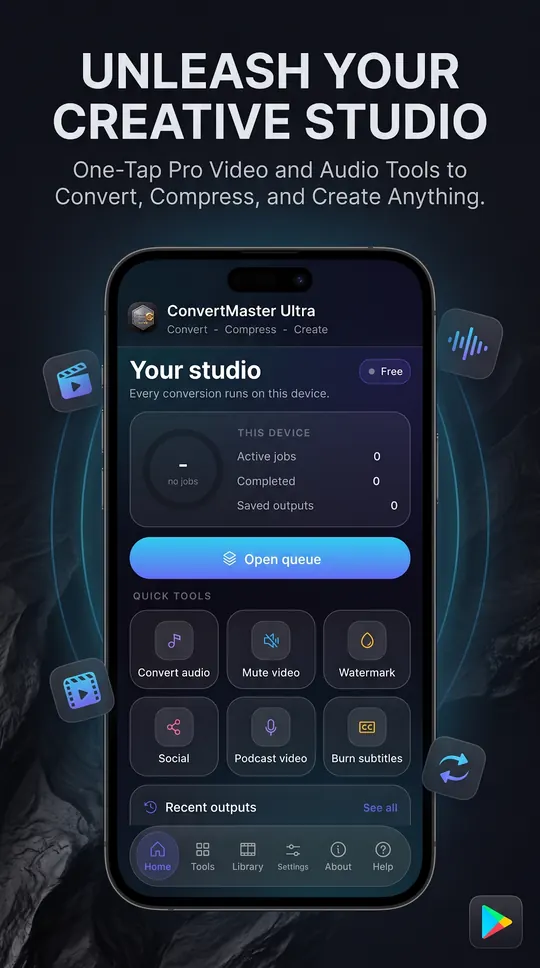
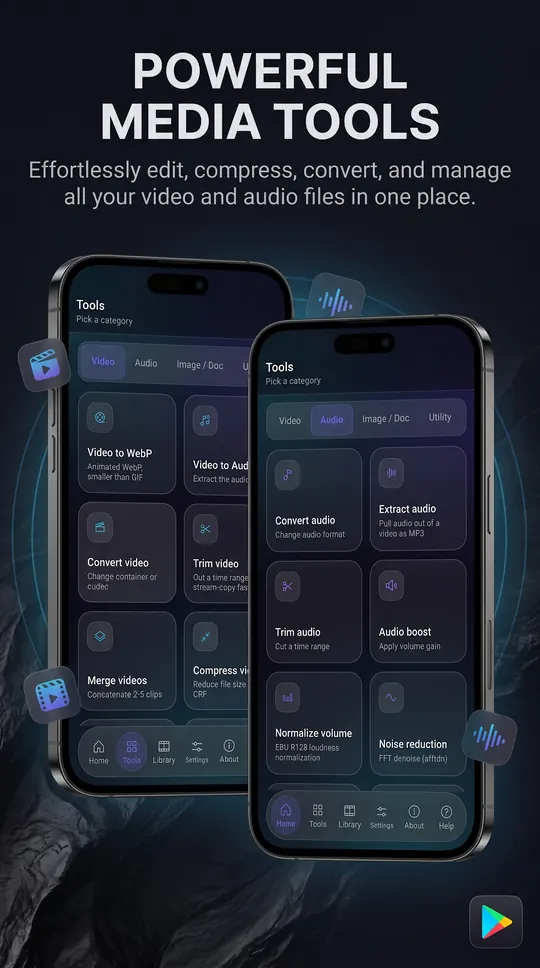
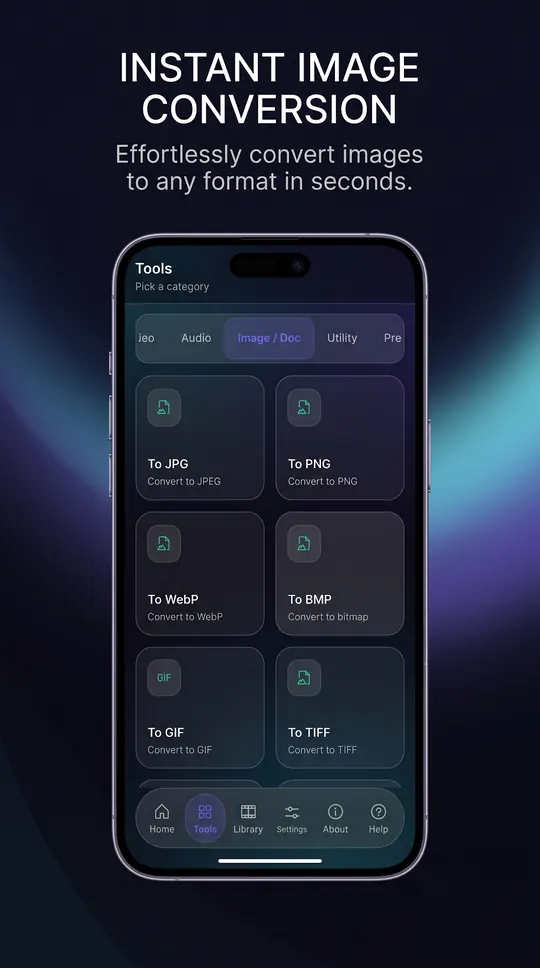
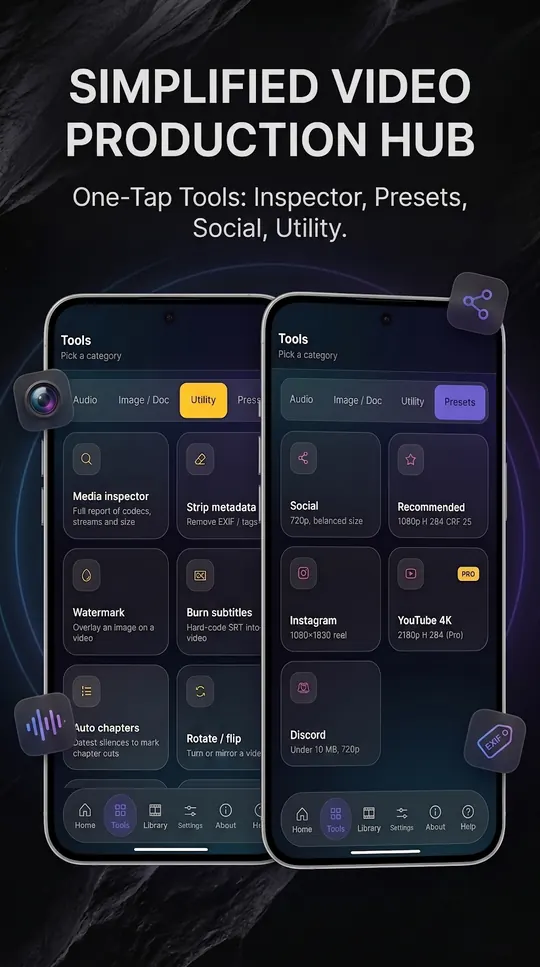
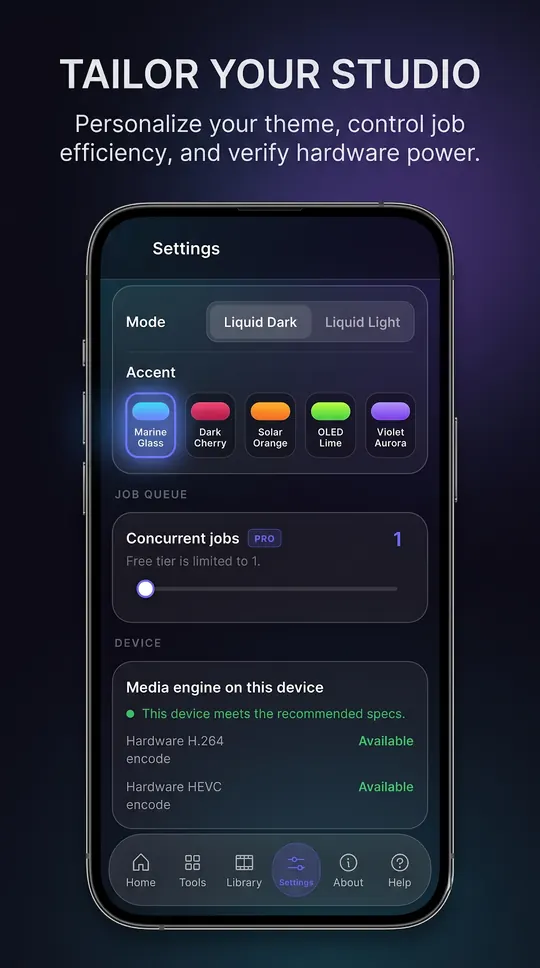
ConvertMaster Ultra running on Android, captured from the application itself.
Inside ConvertMaster Ultra
Fifty tools, one engine
Convert between video, audio, image and PDF formats. Trim, merge, compress, mute, reverse, boomerang and loop. Extract, boost, normalise and clean up audio with noise reduction and fades. Make GIFs, thumbnail sheets and vertical versions for Shorts, Reels and TikTok. Burn subtitles, add a watermark, create chapters or strip metadata, and turn audio plus a cover image into a podcast video.
A queue you can walk away from
Stack conversions and let them run, with live progress, cancel and retry. Hardware encoders are used where your phone reports them, and Settings tells you plainly what your phone supports. One-tap presets cover Social, Instagram, YouTube and Discord.
Everything in one library
Every output lands in the Library, where you can share, open, save or delete it.
Who it is for
ConvertMaster Ultra is built for creators, students, marketers and podcasters who want to convert media without sending it to someone else’s server.
It sits in the files & transfer part of the catalogue, and your media never leave the phone to be processed. There is no server behind ConvertMaster Ultra to send them to.
Local-first, by design
Plenty of the alternatives send your media to a server to be handled. ConvertMaster Ultra does not. Processing runs on your phone’s own processor, and the videos, audio and images you convert stay where you put them. Not for the conversions, which run on your phone. A connection is used for the ads in the free version and the Pro purchase check.
That is not a setting you enable, it is how ConvertMaster Ultra is built, which is why there is no account to create and no subscription to lapse. Full detail is in the ConvertMaster Ultra privacy policy.
Free and Pro
ConvertMaster Ultra is free on Google Play. All fifty tools, one conversion at a time, with ads. Nothing you make is watermarked unless you add a watermark yourself.
A one-time Pro unlock, with no subscription, adds:
- No ads
- Three conversions running at once
- H.265 and AV1 encoders
- The YouTube 4K preset
The free version shows ads served by Google AdMob. Google may use your device’s Advertising ID under its own policies. Hasnain Studio X does not receive or store it. Buying Pro removes all ads.
What it asks your phone for
Android shows these when you install or first use a feature. Each one is used for the reason given, and for nothing else.
- Photos, videos and audio
- to read the files you convert
- Storage
- to save results on older Android versions
- Network
- for the ads and the Pro purchase check
- Advertising ID
- for the AdMob ads in the free version
Technical details
- Platform
- Android 7.0 or later
- Distribution
- Google Play
- Availability
- Available now
- Licence
- Free, optional one-time Pro
- Network required
- No, conversions run on the phone
- Account required
- None
- Telemetry
- None. Free version shows ads
- Publisher
- Hasnain Studio X
- Developer
- Hasnain Butt Akhtar
Questions
Does ConvertMaster Ultra need an internet connection?
Not for the conversions, which run on your phone. A connection is used for the ads in the free version and the Pro purchase check.
Does ConvertMaster Ultra require an account?
No. There is no registration, no sign-in and no online identity. You install the app and use it.
What data does ConvertMaster Ultra collect?
Hasnain Studio X collects nothing: there is no account, no analytics and no crash reporting that leaves your phone, and your media are never uploaded. The free version shows ads served by Google AdMob. Google may use your device’s Advertising ID under its own policies. Hasnain Studio X does not receive or store it. Buying Pro removes all ads. The full detail is in the ConvertMaster Ultra privacy policy.
Is ConvertMaster Ultra a subscription?
No. ConvertMaster Ultra is free on Google Play, with an optional one-time Pro unlock. There is no recurring fee.
Which versions of Android does it support?
Android 7.0 or later.
Get ConvertMaster Ultra
Available now on Google Play. It is free, and a single optional purchase unlocks Pro for good, with no subscription and no account.
ConvertMaster Ultra privacy policy · Support and bug reports · Files & transfer apps · Full catalogue
ConvertMaster Ultra™ is a trademark of Hasnain Studio X. Hasnain Studio X™ is a trade mark of Hasnain Studio X.