Desktop shells and customisation apps for Windows
Whole new desktops for Windows. Each shell brings its own dock, widgets, command palette and live wallpapers, and some lay a living planet or a synthwave grid behind your work. Docks and seasonal wallpapers sit alongside them for a lighter change.
Why these run on your own machine
A desktop shell sees more of your machine than almost anything else you install: every app you open, every window, your clipboard. That is why none of these shells create an account or send anything off the device. The Windows taskbar only steps aside after you agree, and it comes straight back the moment you choose Desktop mode or exit.
What to check before you buy anything in this category
- Whether it can hand the desktop back
- A good shell restores the Windows taskbar the instant you leave it, and never leaves your PC stuck in its own layout.
- What it reads, and where that goes
- A shell reads your apps, windows and system readings to show them to you. None of it should leave the machine.
- How heavy it is
- Live wallpapers should follow what your PC is doing without stealing the performance you need for real work.
7 desktop shell applications available now
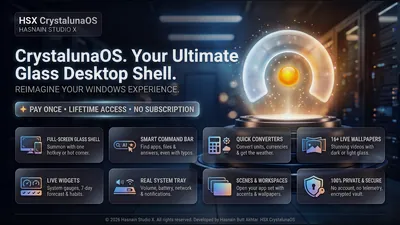 CrystalunaOS
Windows
Private Windows desktop shell and launcher
Clean app launcher with instant search
Customisable widget panels: clock, notes, system stats
Multi-workspace management
Full details
CrystalunaOS
Windows
Private Windows desktop shell and launcher
Clean app launcher with instant search
Customisable widget panels: clock, notes, system stats
Multi-workspace management
Full details
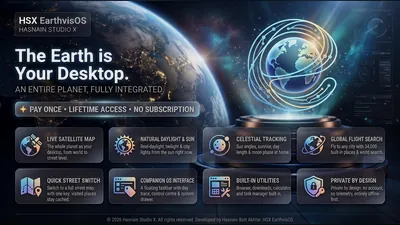 EarthvisOS
Windows
Turn your desktop into a live map of the world
Live world map as your desktop shell
Home place, saved layout and offline tile cache
Taskbar, windows and clipboard history stay on-device
Full details
EarthvisOS
Windows
Turn your desktop into a live map of the world
Live world map as your desktop shell
Home place, saved layout and offline tile cache
Taskbar, windows and clipboard history stay on-device
Full details
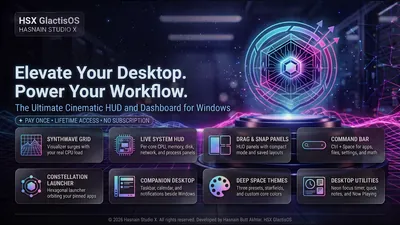 GlactisOS
Windows
Synthwave command deck for the Windows desktop
Synthwave desktop command deck
Local-first layout and settings
No telemetry and no accounts
Full details
GlactisOS
Windows
Synthwave command deck for the Windows desktop
Synthwave desktop command deck
Local-first layout and settings
No telemetry and no accounts
Full details
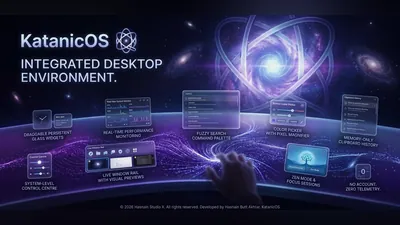 KatanicOS
Windows
A katana-styled desktop shell for Windows
Five inks: Shu, Kin, Sakura, Ai and Matcha
World clocks, weather, system vitals and now playing on the desk
Command palette to search and launch every app on your PC
Full details
KatanicOS
Windows
A katana-styled desktop shell for Windows
Five inks: Shu, Kin, Sakura, Ai and Matcha
World clocks, weather, system vitals and now playing on the desk
Command palette to search and launch every app on your PC
Full details
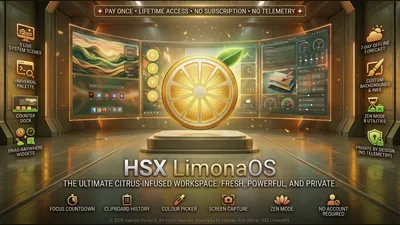 LimonaOS
Windows
Your desktop, freshly squeezed
Lemon-slice dial for desk, settings, help and about
Weather, quick notes, now playing and live processor rings on the desk
Command palette to search and launch every app on your PC
Full details
LimonaOS
Windows
Your desktop, freshly squeezed
Lemon-slice dial for desk, settings, help and about
Weather, quick notes, now playing and live processor rings on the desk
Command palette to search and launch every app on your PC
Full details
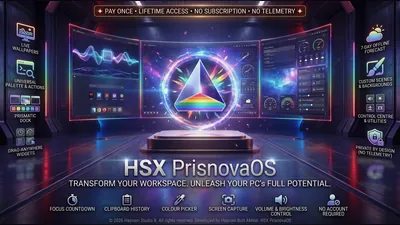 PrisnovaOS
Windows
Your desktop, cut from light
Five inks: Spectrum, Glacier, Ember, Orchid and Verdant
World clocks, weather, system vitals and quick notes on the desk
Command palette to search and launch every app on your PC
Full details
PrisnovaOS
Windows
Your desktop, cut from light
Five inks: Spectrum, Glacier, Ember, Orchid and Verdant
World clocks, weather, system vitals and quick notes on the desk
Command palette to search and launch every app on your PC
Full details
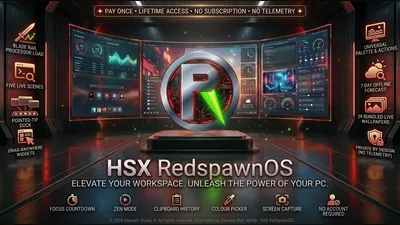 RedspawnOS
Windows
Your PC, built for play
Five inks: Venom, Redline, Frost, Volt and Ultra
Dock edge that pulses with the sound your PC is playing
Command palette to search and launch every app on your PC
Full details
RedspawnOS
Windows
Your PC, built for play
Five inks: Venom, Redline, Frost, Volt and Ultra
Dock edge that pulses with the sound your PC is playing
Command palette to search and launch every app on your PC
Full details
Questions about desktop shell apps
Can I go back to the normal Windows desktop?
Yes. Desktop mode, the tray icon and Exit all bring the Windows taskbar straight back, and it returns on its own if the shell closes.
Do the shells send anything about my PC?
No. App lists, windows and system readings are read only to show them to you on screen, and nothing is transmitted.
Can I use my own wallpaper?
Yes. The shells let you use your own pictures, and each one lists the wallpaper options it supports on its own page.
Is there a subscription?
No. Every application is a free trial followed by one purchase.
Other parts of the catalogue
Full Windows catalogue · Privacy policies · About the studio
Hasnain Studio X™ is a trade mark of Hasnain Studio X. Product names shown on this page are trademarks of Hasnain Studio X.