HSX CastVisuality
Mirror your PC screen to a phone or TV
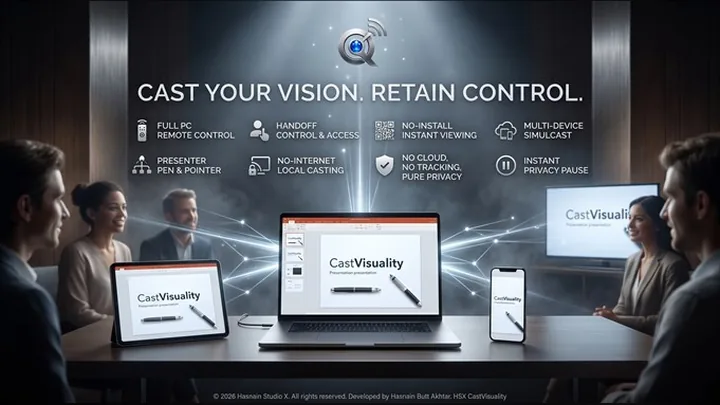
Screen mirroring and remote control for Windows. A viewer scans a QR code and your screen opens in their browser - no app to install, no account to create and no cloud service in the middle. Share one window or a whole monitor, hand over mouse and keyboard when you want to, and take control back instantly.
What HSX CastVisuality does
- Viewers join by scanning a code - it opens in their browser, nothing to install
- Share a single window or a whole monitor, and switch displays mid-session
- Privacy pause freezes the broadcast behind a clean screen while you type a password
- Hand mouse and keyboard to an approved viewer, with a hotkey to take control straight back
- Spotlight, presenter pen, mouse halo and click ripples for showing rather than telling
- Record the session and system audio straight to your own PC
- PIN-locked rooms with a guest list you control, over Wi-Fi or your laptop hotspot
Who it is for
HSX CastVisuality is built for editors, musicians and anyone who works with sound or footage and does not want it uploaded for processing.
It sits in the audio & video part of the Hasnain Studio X catalogue, and it follows the same rule as every other title in the range: the work happens on your own hardware. Nothing is uploaded for processing, because there is no server to upload it to.
Local-first, by design
Most software in this category sends your files somewhere to be handled. HSX CastVisuality does not. Processing runs on your CPU or GPU, and your files stay in the folders you put them in. HSX CastVisuality does need your devices to be on the same network, but that is the only link involved: it runs over your own Wi-Fi or a hotspot, with nothing routed through a server and no internet connection required.
That is not a setting you enable. It is how the application is built, and it is why there is no account to create, no profile to build and no subscription to lapse. Full detail is in the HSX CastVisuality privacy policy.
Technical details
- Platform
- Windows 10, Windows 11
- Distribution
- Microsoft Store
- Availability
- Available now
- Licence
- Free trial, then one purchase
- Network required
- Your own network only
- Account required
- None
- Telemetry
- None
- Publisher
- Hasnain Butt Akhtar
Questions
Does HSX CastVisuality need an internet connection?
No. HSX CastVisuality works over your own Wi-Fi, or your laptop's hotspot where there is no Wi-Fi at all. Your devices talk to each other directly, so nothing is routed through a server and nothing needs an internet connection.
Does HSX CastVisuality require an account?
No. There is no registration, no sign-in and no online identity. You install the application and use it.
What data does HSX CastVisuality collect?
None. There is no analytics SDK, no usage tracking and no crash reporting that leaves your device. The full detail is in the HSX CastVisuality privacy policy.
Is HSX CastVisuality a subscription?
No. HSX CastVisuality is a free trial followed by a one-time purchase through the Microsoft Store. There is no recurring fee.
Which versions of Windows does it support?
Windows 10 and Windows 11.
Related applications
More of the same kind of tool is listed on audio and video apps for Windows.
Get HSX CastVisuality
Available now on the Microsoft Store. Try it free, then a single purchase unlocks it for good — no subscription, no account.
HSX CastVisuality privacy policy · Support and bug reports · Audio & video apps · Full catalogue
HSX CastVisuality™ and CastVisuality™ are trademarks of Hasnain Studio X. CastVisuality™ is a coined term originated by Hasnain Studio X. Hasnain Studio X® is a registered trademark.